

LitBuy Spreadsheet
What is LitBuy and how do you order?
LitBuy is a shopping-agent platform used to place product orders, review items at the warehouse and arrange international delivery. This independent spreadsheet helps you discover products and keep each link, option and question together. Complete account, payment and parcel actions on LitBuy.
A LitBuy spreadsheet is useful when it helps you find a product you can understand, not merely another picture to save. Begin with what you need, narrow the options and keep the exact product link beside your choice. An attractive collection is a starting point for a purchase; it does not settle sizing, the selected version or the eventual parcel cost.
If you already know the category, browse shoes on OG or explore T-shirts on OG. Open an individual listing before deciding whether it belongs in your shortlist. For the wider process, the LitBuy spreadsheet guide follows a find through item selection, inspection and parcel planning.
People also search for “Lit Buy” with a space or revisit an older LitBuy archive spreadsheet. In either case, use the current product page to check the option you intend to order. An archived row can preserve an idea, but it does not preserve its former stock, price or size chart.
What does LitBuy do?
LitBuy is a shopping-agent platform. Its service brings together purchasing, warehouse inspection and parcel forwarding. A spreadsheet serves an earlier purpose: helping you discover product links and decide which items to investigate. Choosing a find, paying for an item and arranging international shipment are separate decisions.
This site connects product discovery with practical buying guidance. Use OG to browse the current product pages, then use the guides here to work through sizing, inspection and shipping questions. Keep the product page and the selected size or version together as you move between those steps.
Why start with this guide?
If you encounter the spelling “Libuy,” check the destination rather than assuming that similar names identify the same service. LitBuy's notice-page footer displays “LITBUY LIMITED”; that wording helps explain the name, but does not establish an item's origin or the outcome of an order.
You can move from a broad category to a specific buying question without starting your research again. The category links lead to OG; the articles explain how to compare options, read inspection photos and prepare parcel estimates. The aim is a shortlist you can explain, not a cart filled only because the photographs look appealing.
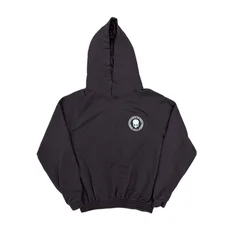
For example, when choosing a hoodie, compare garment measurements with one you already wear. Save the exact size and colour, identify any detail that needs a closer photo, and leave room in the budget for shipping. That gives each stage a clear purpose before you commit to the next.
The shopping process in five steps
- Find an item. Browse the matching OG category and open a product page rather than choosing from a thumbnail alone.
- Confirm the order details. Check size, colour, quantity, included pieces and the current amounts before placing an order through LitBuy.
- Review the warehouse item. Match the inspection photos to your selected option. Raise a specific concern before approving shipment.
- Plan the parcel. Compare available shipping choices using the destination, contents, packed weight and dimensions. Product payment and international shipping are separate stages.
- Follow the shipment. Keep the parcel reference and distinguish label creation, carrier acceptance and delivery updates.
The step-by-step buying guide explains the decisions within those stages. If you are still browsing, start with the selection checks below.
Give each find a job
Before opening dozens of links, name the gap you are trying to fill. A jacket for layering over a sweater has different requirements from a light outer layer for warm evenings. A bag for a laptop needs dimensions that a picture alone cannot establish.
Write down two or three requirements that could rule out an item: relevant measurements, intended use and what must be included. Keep preferences, such as an optional colour, separate. This makes it easier to reject a poor match without being distracted by a low displayed price.
The best LitBuy spreadsheet comparison explains how to compare collections by whether they help you make these choices.
Keep the product and its option together
A listing can contain several colours, sizes or bundles. Save the product address, selected option and quantity together. If the photograph changes when you select another option, check the description again rather than assuming every version contains the same pieces.
A short note is often enough:
- What is the item for?
- Which size, colour or version are you comparing?
- What measurement or included component matters?
- Which question must be answered before buying?
The spreadsheet links guide covers changed destinations and confusing links. Reopen the saved listing when you are ready to act; a saved address does not reserve stock or preserve the old price.
Compare costs at the right stage
Separate an item's displayed amount from seller delivery, additional services and international parcel shipping. A low product amount does not by itself mean a low delivered cost. Keep currency and quantity visible when comparing two alternatives.
At the shortlist stage, you may not know the packed parcel dimensions. Record that as an unresolved input in your own notes instead of treating the item amount as a final total. The shipping calculator guide helps you organise the information needed for a meaningful comparison.
Decide what photographs can answer
Listing images help you assess visible design. Inspection photographs can help you check the item shown, such as its colour, included pieces or visible condition. Neither type automatically proves fabric composition, authenticity, long-term durability or how a garment will fit your body.
Use the QC photo guide when you need a closer view. Ask a specific question, such as whether a measurement is visible, rather than asking whether an item is simply “good.”
Read the collection and the service separately
A well-organised spreadsheet and a successful delivery are different things. To judge a collection, look at whether its links, labels and categories are useful. To consider service experience, look at the actual stage described and what happened afterwards.
Start with the spreadsheet review for that distinction. Before entering account details or paying, use the LitBuy spreadsheet safety guide. A familiar logo or a reassuring comment is not a substitute for checking the destination and the transaction.
Common questions
Do I need a large spreadsheet?
Only if the additional entries help you find relevant alternatives. A smaller collection with clear destinations can be easier to use than a large list full of repeated pictures.
Can I choose solely from the spreadsheet picture?
Open the listing and check the option. The picture may represent one version while the available selection describes another.
What should I do with a broken link?
Remove it from your active shortlist until you identify a relevant replacement. A similar photograph is not enough to establish that the replacement is the same item.
Compare the entries you save
The best LitBuy spreadsheet for you is the one that reduces the work of finding and checking a suitable item. A large collection is not necessarily current, and a neat layout does not establish product quality. Compare what each collection lets you do with the same kind of purchase.
Try a small test before relying on a whole list: choose one category, open a few relevant entries and follow them far enough to identify the actual options. OG's jacket category is one starting point for comparing outer layers; the final decision still belongs at the individual listing.
Start with the purchase you have in mind
A useful comparison needs a consistent question. If you need a jacket that fits over other clothing, look for dimensions and the relevant version. If you need a pair of shoes for everyday wear, begin with fit information and intended use rather than the popularity of the picture.
Two spreadsheets can both contain hundreds of items and still answer very different parts of that question. Judge the entries you would actually use, not categories unrelated to your purchase.
Test the route from picture to product
Open several entries and check whether the destination matches the label. Look for changes in colour, bundle size or included accessories. A row marked as a set should not quietly lead to a single-piece option without making the selection clear.
Check whether you can save and revisit the exact listing. Repeated redirects, missing pages and labels that do not match the destination make a collection harder to trust as a browsing tool. The links guide provides a practical way to handle these mismatches.
Look for meaningful alternatives
Three rows using the same photograph are not necessarily three different choices. Compare the destination and selected option before counting them as alternatives. On the other hand, visually similar items can differ in measurements or included pieces, so do not merge them solely because the pictures resemble each other.
Keep alternatives only when you can describe the difference that matters to you. For clothing, that could be cut or a relevant measurement. For an accessory, it might be dimensions or the contents of a set.
For example, two grey hoodies may look almost identical in a thumbnail, but one is a pullover and the other has a full zip. If you want a layer that is easy to remove, that difference matters more than how many times either item appears in a collection. Compare the construction and measurements before using price to break the tie.
Use price as one input
Check currency, quantity and the selected version before comparing amounts. Do not compare a single piece against a bundle, or a listed item amount against another person's delivered parcel total.
International shipping is a separate decision that depends on the actual parcel and available route. The shipping guide helps you keep those inputs apart. A spreadsheet that makes a low product price easy to spot has not necessarily found the cheapest overall purchase.
Separate collection quality from customer outcomes
Useful organisation deserves credit for making browsing easier. It does not establish that every listed product is well made or that every order will arrive without difficulty. Read the spreadsheet review when a recommendation mixes those claims together.
Similarly, the safety guide deals with account, payment and item questions that a browsing comparison cannot settle.
A simple decision
Keep the collection if you can find relevant items, identify their options and return to the same destinations without confusion. If important entries fail that test, use another source for those items rather than forcing your purchase around the list.
You can return to the LitBuy spreadsheet overview to start a shortlist, or follow the buying guide when you have a candidate worth checking.
Is a frequently updated title enough?
No. Open the entries you intend to use. A date in a heading does not show when each listing or option was last checked.
Should I use more than one collection?
It can help you find alternatives, but keep the underlying product addresses together so repeated listings do not become accidental duplicate purchases.